PerlCAD iconPerlCAD Development Plan

($Id: plan.html,v 1.25 2010-02-08 05:38:29 paul Exp $)

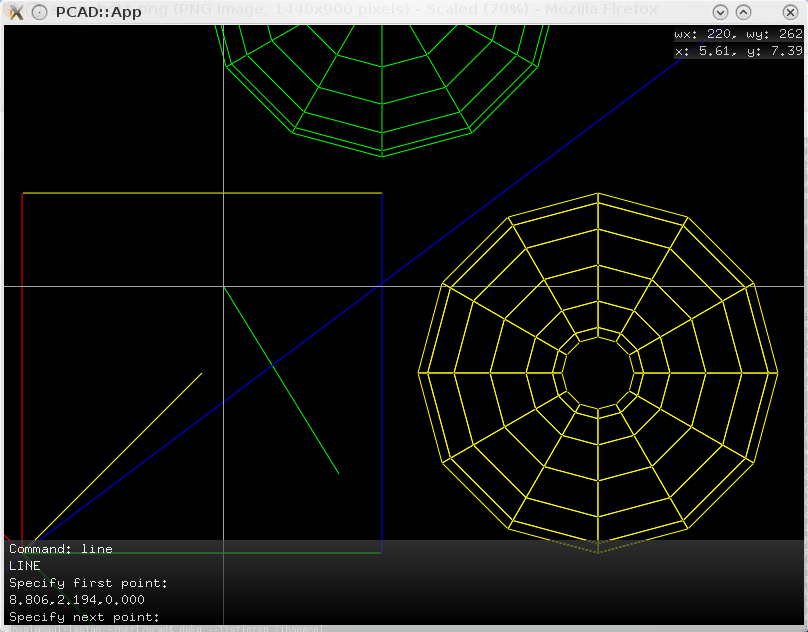
Version 0.0 - February 2010 - ? - Open GL Based Proof of Concept

General

  • Functioning OpenGL
  • Basic UI Layout
  • Commandline parsing
  • LINE command
  • PAN command
  • ZOOM command
  • PS Output

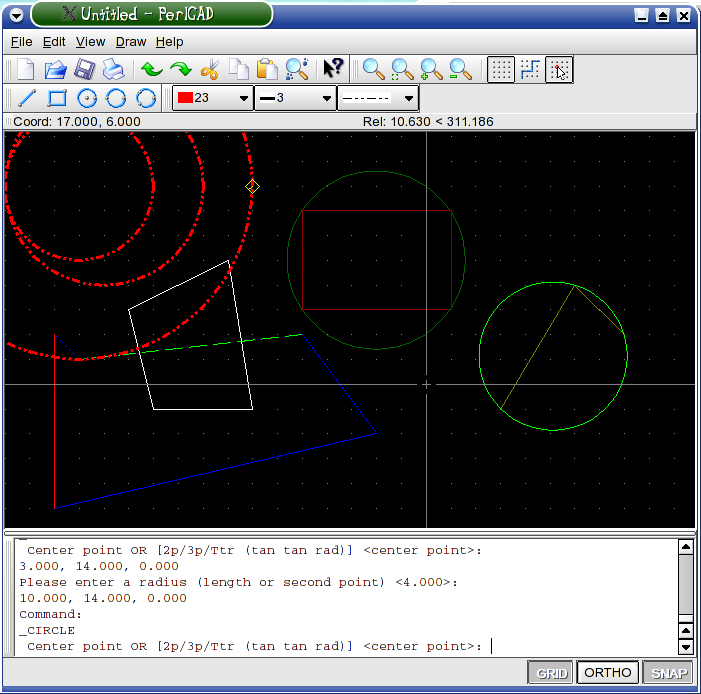
Version Pre 0.0 - 01/Aug/2003 - 01/Feb/2004 - QT Based Proof of Concept

General

  • Functioning PerlQt
  • Basic UI Layout
  • Create DB Backend - In memory
  • Create DB Backend - SQL Lite
  • File Open Dialog
  • Basic DXF Reading
  • Be able to draw a line
  • Be able to draw a circle
  • Working Grid
  • Working Snap
  • Working Ortho
  • Working Zoom
  • Read and draw lines of document
  • Save out lines of document
  • File New
  • File Save
  • File Save As...
  • File Exit
  • Working Layer
  • Working Color
  • Working Width
  • Working Linetype
  • Actions Abstraction
  • System Icon Importing
  • Basic Configuration Reading

Features

  • Draw - Line
  • Draw - Circle (Center / Radius)
  • Draw - Circle (2 Point)
  • Draw - Circle (3 Point)
  • Draw - Rectangle
  • Draw - Polyline
  • Draw - Text (basic)
  • Modify - Erase
  • Support for blocks
  • Tools - Run Script...
  • View - Vports (Basic viewport support)

Command Entry

  • Take commands from Command line
  • Take commands from STDIN
  • Return necessary output to all commandlines
  • Keep Command History
  • Take commands from toolbars
  • Execute Commands
  • Review History
  • Tab complete

Version Pre - 0.1 - - Initial release

General

  • Improved DXF Reading
  • Save configuration
  • Object Snap Modes
  • Object Browser Window
  • Properties Window
  • Dialog - Grid/Snap/Ortho
  • Dialog - Paths
  • Dialog - Object Snap
  • Tools - Macro

Features

  • Selection - By Element
  • Selection - Window / Crossing Window / Fence
  • Grips
  • Modify - Line
  • Modify - Point
  • Draw - Ray
  • Draw - Construction Line
  • Draw - Arc =>
  • Draw - Circle => TTR
  • Draw - Donut
  • Draw - Block =>
  • Tools - Display Order (Bring to Front, Send to Back, Bring Above Object, Send Under Object)

Version 0.2 - -

General

  • Add Viewpoints support
  • Load Viewpoint
  • Save Viewpoint
  • Move Vewpoint
  • Add UCS support
  • Load UCS
  • Save UCS
  • Move UCS
  • Orthographic UCS (0,0,1 ; 0,0,-1 ; 0,1,-1 ; etc)

Features

  • Draw - Multiline
  • Draw - Polyline
  • Draw - Polygon
  • Draw - Ellipse =>
  • Draw - Spline

Version Pre - 0.3 - -

General

  • Measure 2d area (properties dialog)
  • Measure 2d circumference (prop dia)
  • Measure 2d moment of initia (prop dia)

Features

  • Draw - Hatch...
  • Draw - Boundary...
  • Draw - Region

Version Pre - 0.4 - -

General

  • Dialog - fonts
  • Fonts - cxf support
  • Fonts - ttf support ?
  • Text - Explode to letters
  • Text - Explode to lines

Features

  • Draw - Text
  • Draw - Mtext
  • Draw - Text along path

Version Pre - x.x - -

General

Features

  • Complete
  • In Progress
  • Not Started

Edit - Copy
Edit - Paste
Edit - Paste Properties
Edit - Paste into layer
Edit - Properties (duplicate of Modify - Properties and properties window)
Dimensions

Save Block
Insert Block
Create Block

Acad - Tools - Spelling
Acad - Tools - Quick Select...
Acad - Options - Toolbars
Acad - Options - Menues

Draw - Graph
Draw - Points on line (by number or distance)

Draw - Insert Image
Draw - 3D Polyline
Draw - Surfaces =>
Draw - Solids =>

Work Sets (selection sets)

Dimension

Bind - Point to Point
Bind - Point to Fixed
Bind - Point to Snap

Modify - Erase
Modify - Copy
  Copy
  ------
  Multiple Copy
  Multiples
  ------
  Copy/Rotate
  Copy/Pick/Rotate
  ------
  Copy2Layer
  Copy2Layer, Type it
  Copy to Clayer
Modify - Mirror
Modify - Offset
Modify - Array
Modify - Change
Modify - -----
Modify - Move
Modify - Rotate
Modify - Scale
Modify - Stretch
Modify - Lengthen
Modify - Extend and Trim
Modify - Break
Modify - Chamfer
Modify - Fillet
Modify - Redifine Block
Modify - -----
Modify - Region
Modify - Align Entities
Modify - -----
Modify - Hide Entity(s)
Modify - Explode

File - Save Selected